Shipping (WooCommerce)
This topic explains how ePAL integrates with the native WooCommerce shipping options.
- Shipping Rates
- Tax on Shipping
- Address Validation
- Shipping labels
- Custom Shipping Address
Requirements
- You must add ePAL as a shipping method. See the Adding ePAL as a Shipping Method (WooCommerce) topic.
- The following countries require that you specify the state or subdivision in
address information:
- Australia
- Brazil
- Canada
- India
- United Kingdom (UK)
- United States of America (USA)
Shipping Rates
You can avail of shipping services from multiple providers such as DPD, UPS. FedEx, DHL and others. You can avail of express, standard, or economy options. Rates can also be cached for up to 30 minutes.
If you have an existing shipping provider, you can integrate their service with ePAL.
If you do not have a shipping provider, ePAL will return some options for you to choose from. This can be useful if you do not have a shipping provider for a particular country.
Tax on Shipping
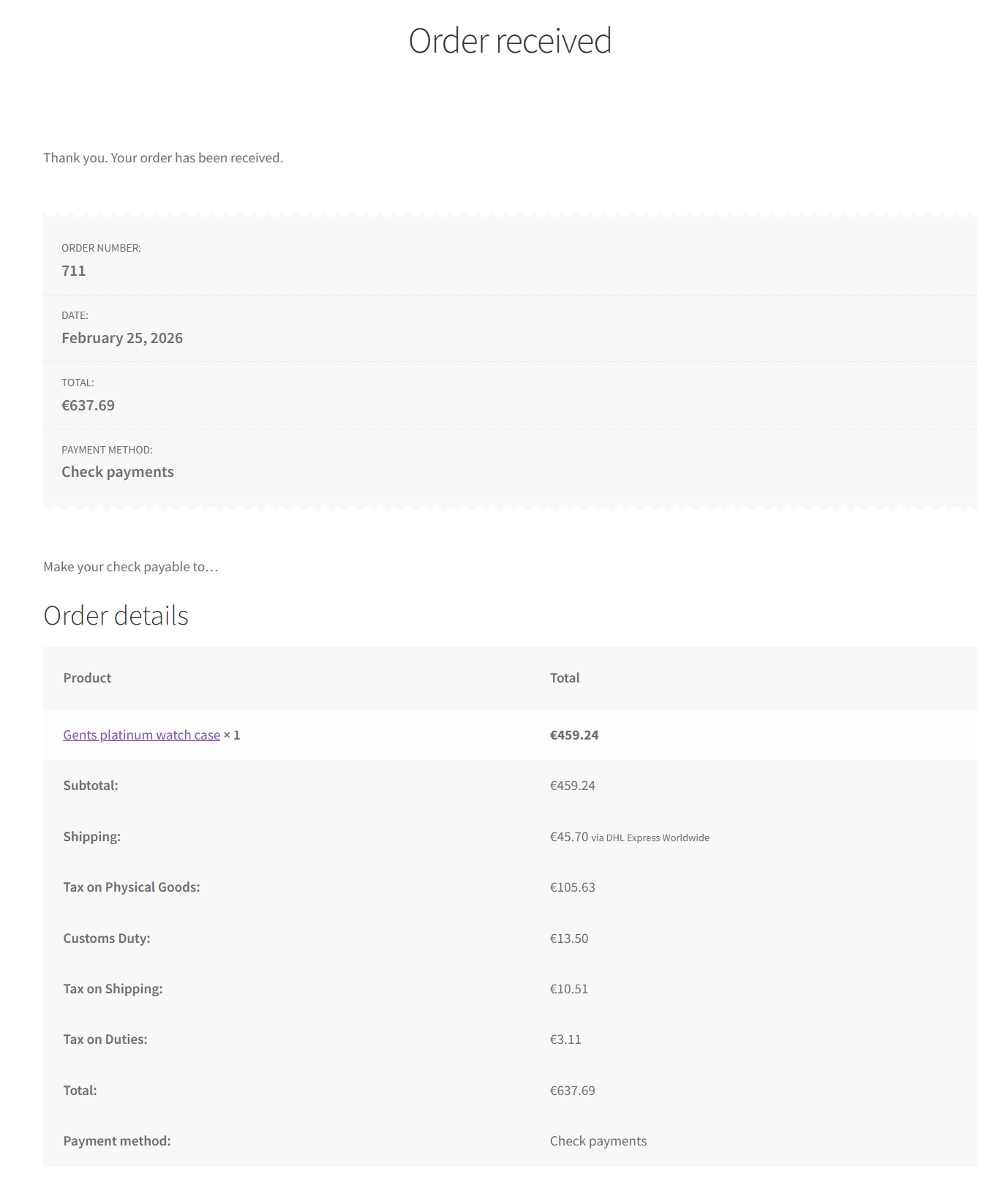
ePAL also provides you with tax information for your shipping charges. This is displayed in the Shipping Tax fee in the cart. For example:
Address Validation
Many shipping service providers require specific, valdiated address information to faciliate their service. ePAL helps you by helping you provide the needed information and to validate that it is correct. This service ìs facilitated by integration with Hurricane.
Address information can be provided in the Custom Shipping Address setting and in the checkout form. The following components
We recommend that you add Postal Codes for all countries. It is required for Spain, the United Kingdom of Great Britain and Northern Ireland (UK), and Spain. You must provide it for these countries.
- Australia
- Brazil
- Canada
- India
- UK
- United States of America
Shipping Labels
Shipping labels are printed at the end of the process and are attached to the goods for delivery.
To print these labels, go to the order details in WooCommerce.
Custom Shipping Address
You can set a custom shipping address in your WooCommerce settings. See the Creating a Custom Ship From Address (WooCommerce) topic.
Supported Shipping Providers
- Shippo
- DPD
- UPS
- FedEx
- DHL
Shippo Connections
ePAL provides a UI to help you integrate your Shippo connection. This can be done during installation or later. See the Configuring the Shippo Connection (WooCommerce) topic.