Store and Checkout Integration (WooCommerce)
After you complete the installation, ePAL is integrated into your store's product pages and checkout, per your settings.
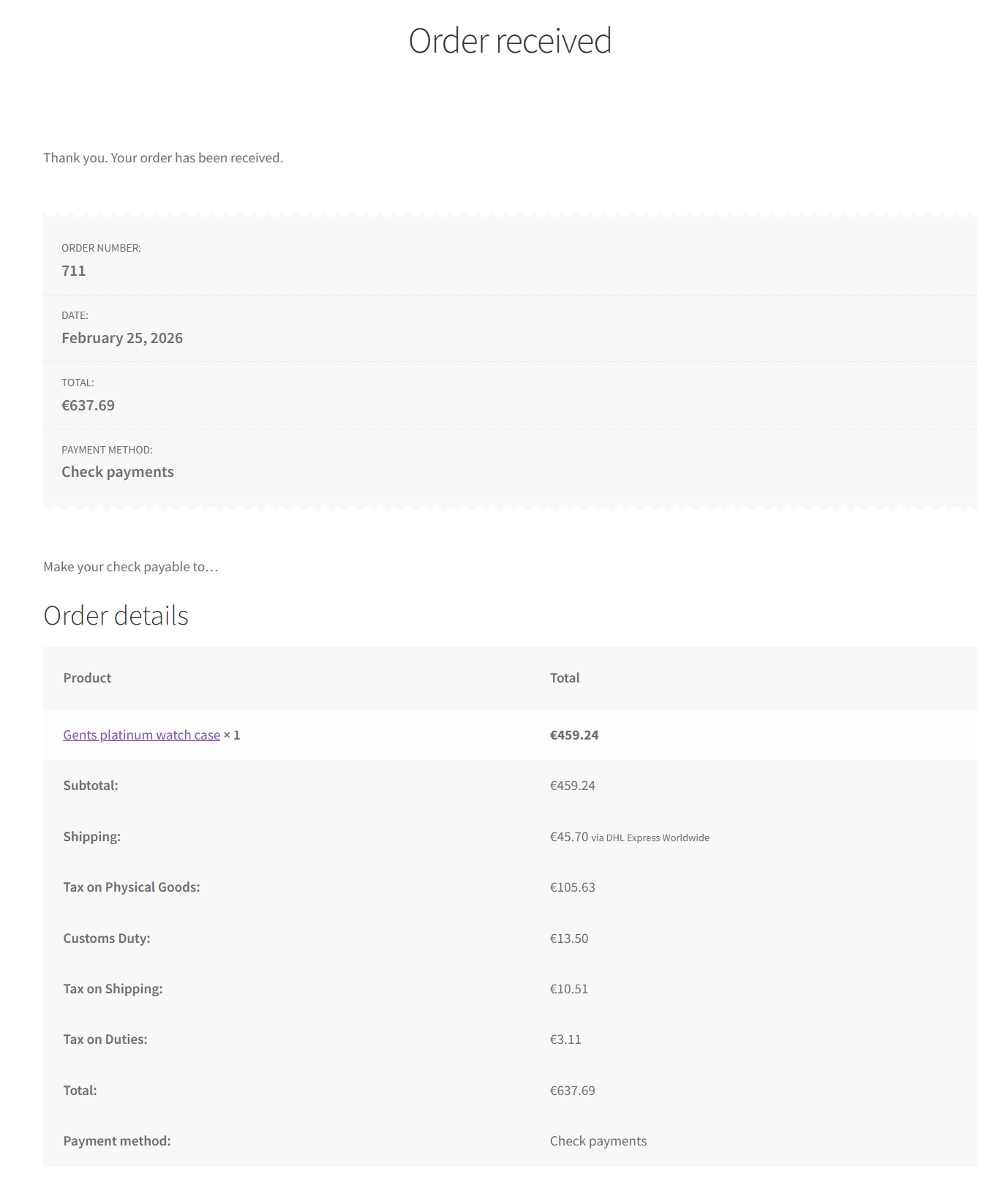
ePAL provides information about tax, shipping and customs that can be displayed on a product's page, in real-time during checkout, and on the details screen after checkout comepletes. This gives your buyer a transparent view of all possible charges at each step of the buying journey.
Product Page Integration
ePAL can be configured to display tax information on a product page. In this example, ePAL is showing a tax inclusive price that includes the tax. The tax is also detailed separately in parentheses.
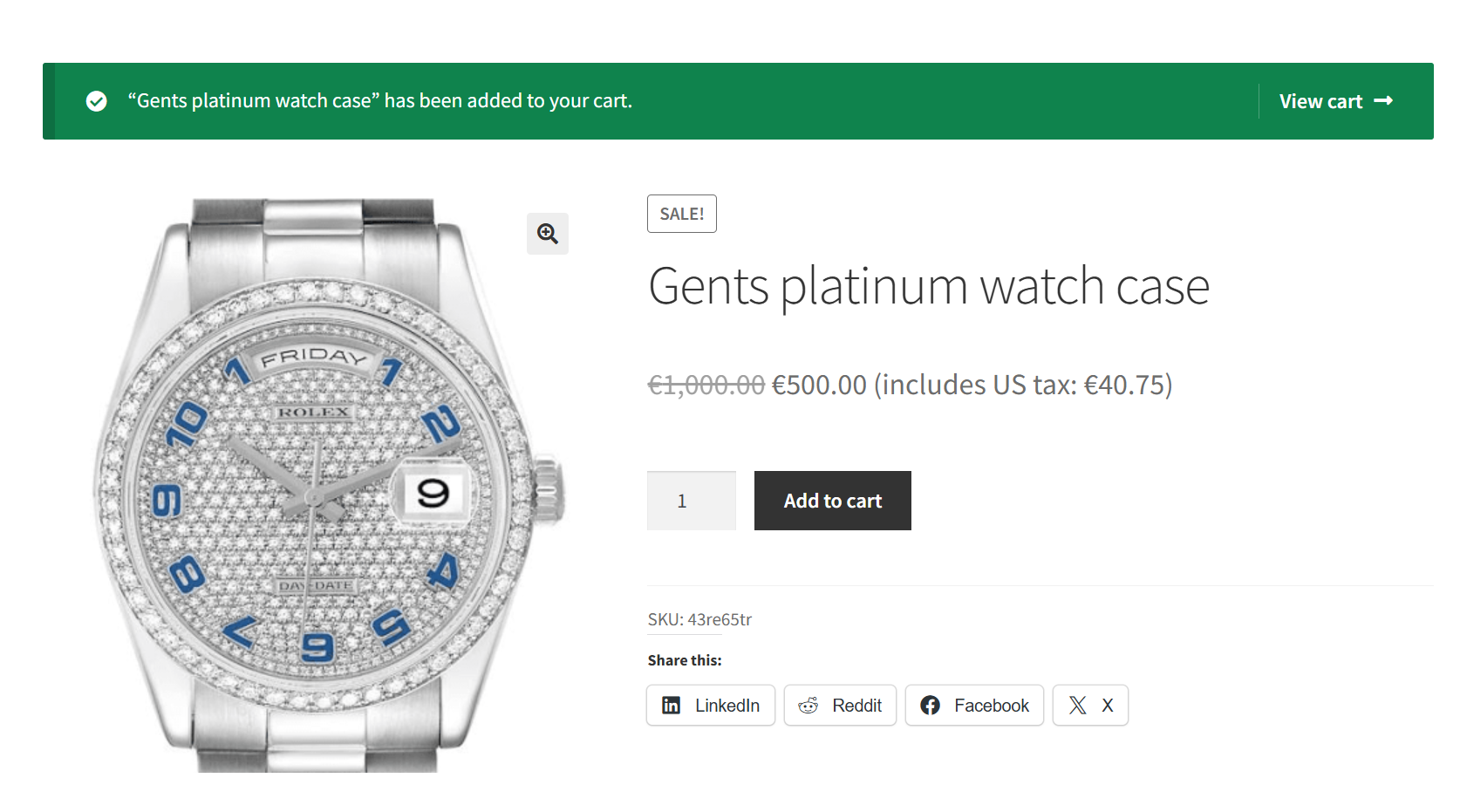
To control whether you want to show these details, you use the Show Tax Details Toggle in the ePAL Tax Configuration settings. You can use the Show tax-inclusive price suffix to display the parentheses with the tax information. For more information about these settings, see the ePAL Tax Configuration UI topic.
Checkout Integration
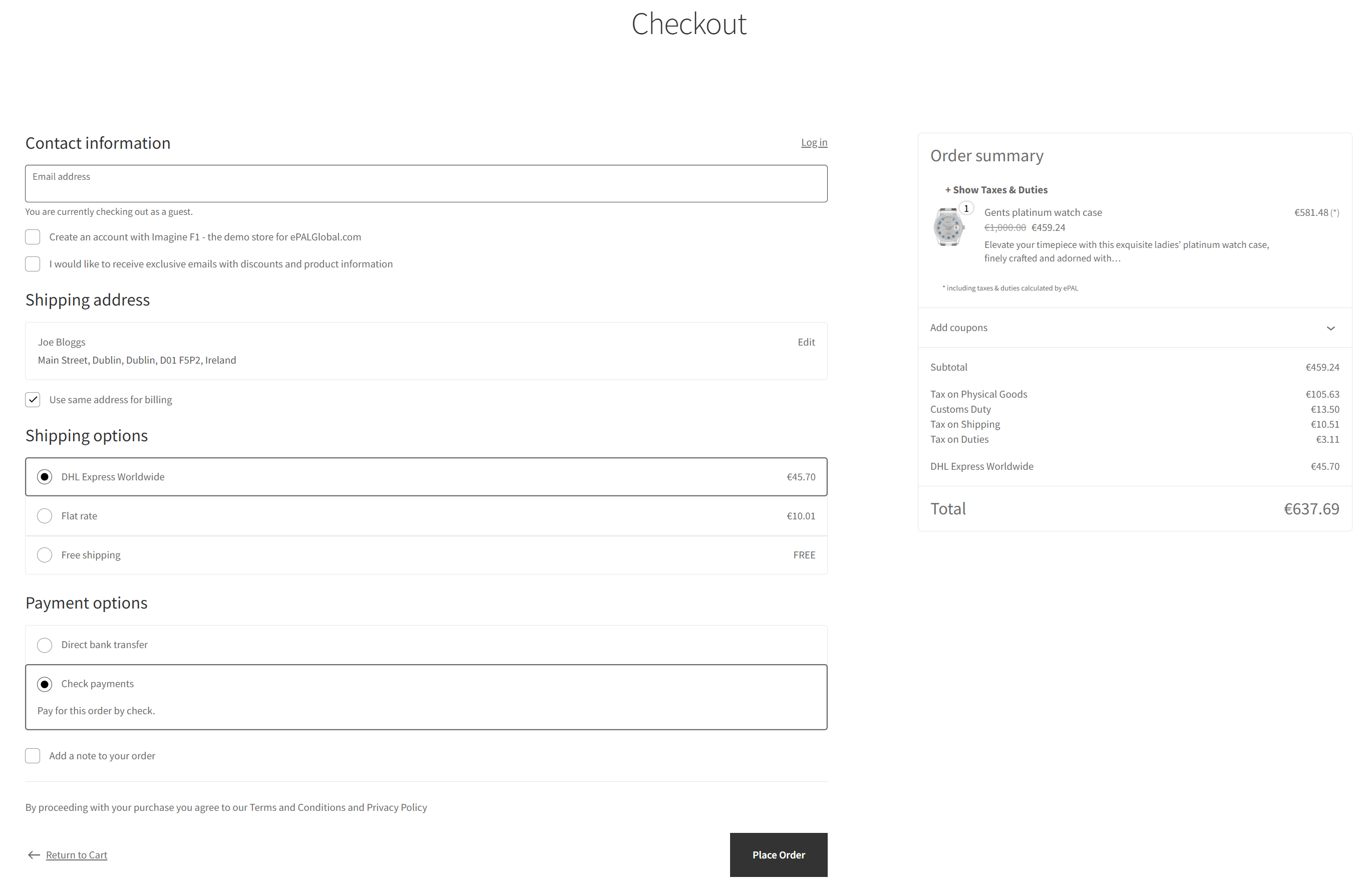
When your buyer does decide to begin checkout, ePAL is also there to provide detailed information in real-time.
This example shows ePAL providing information during checkout:
After the Buyer completes the purchase, ePAL provides the final details based on confirmed information. Note the taxes on the goods, the shipping and the duties are displayed to ensure both you and your buyer have maximum transparency.