Configure Tab (WooCommerce)
Use the Configure tab to review the status of your ePAL account and the connection to ePAL.
To open this tab, open Wordpress and click .
This tab is also displayed during step 2 of the Guided Installation wizard.
Before Authentication
Before you authenticate for the first time (like during your first install), the following UI is displayed:
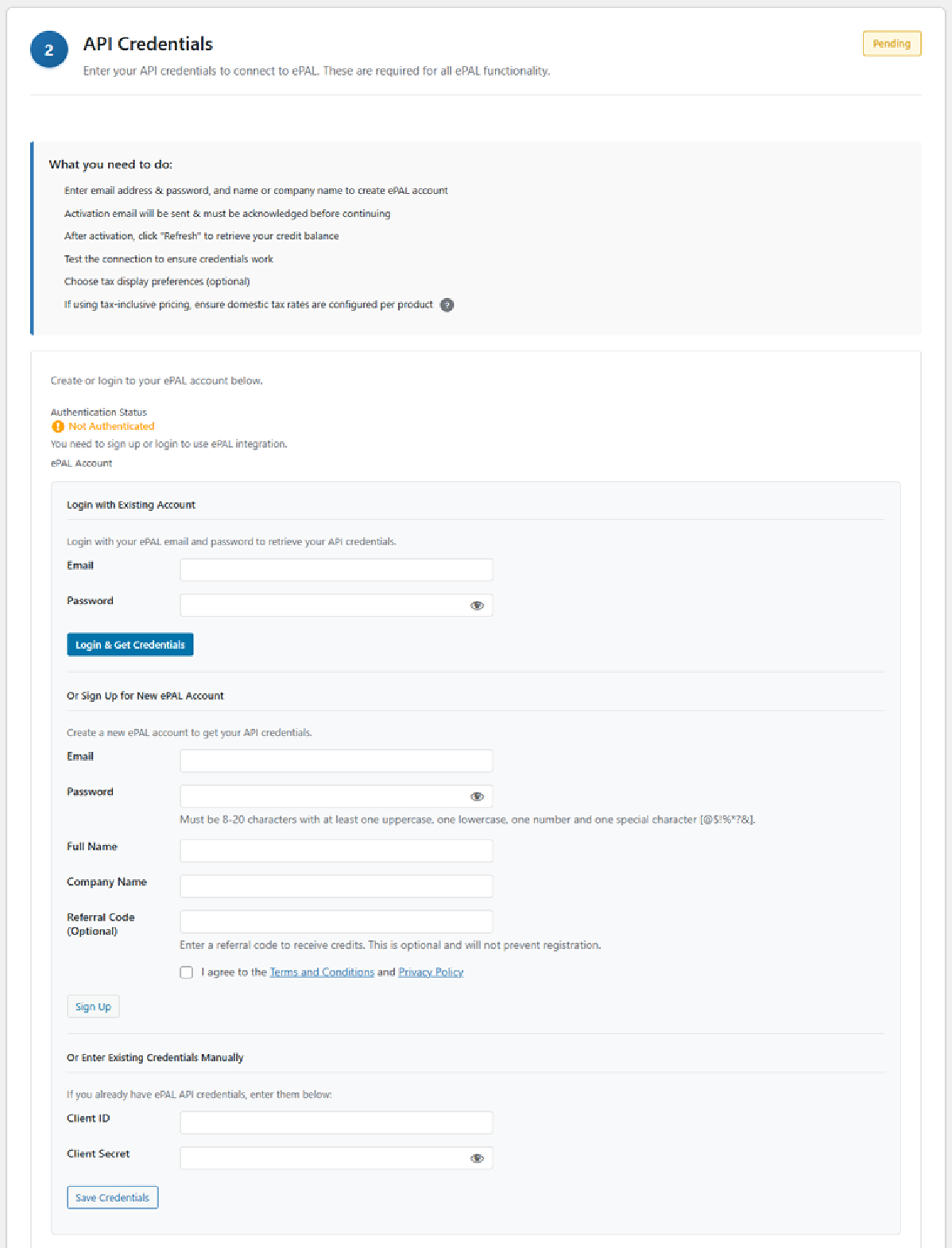
The Login with Existing Account subsection contains the following fields. You can use these to signin with an existing account:
| Field/Button | Description |
|---|---|
| Password | |
| Login & Get Credentials | Use this button to log in. |
| Field/Button | Description |
|---|---|
| Password | |
| Field/Button | Description |
|---|---|
After Authentication
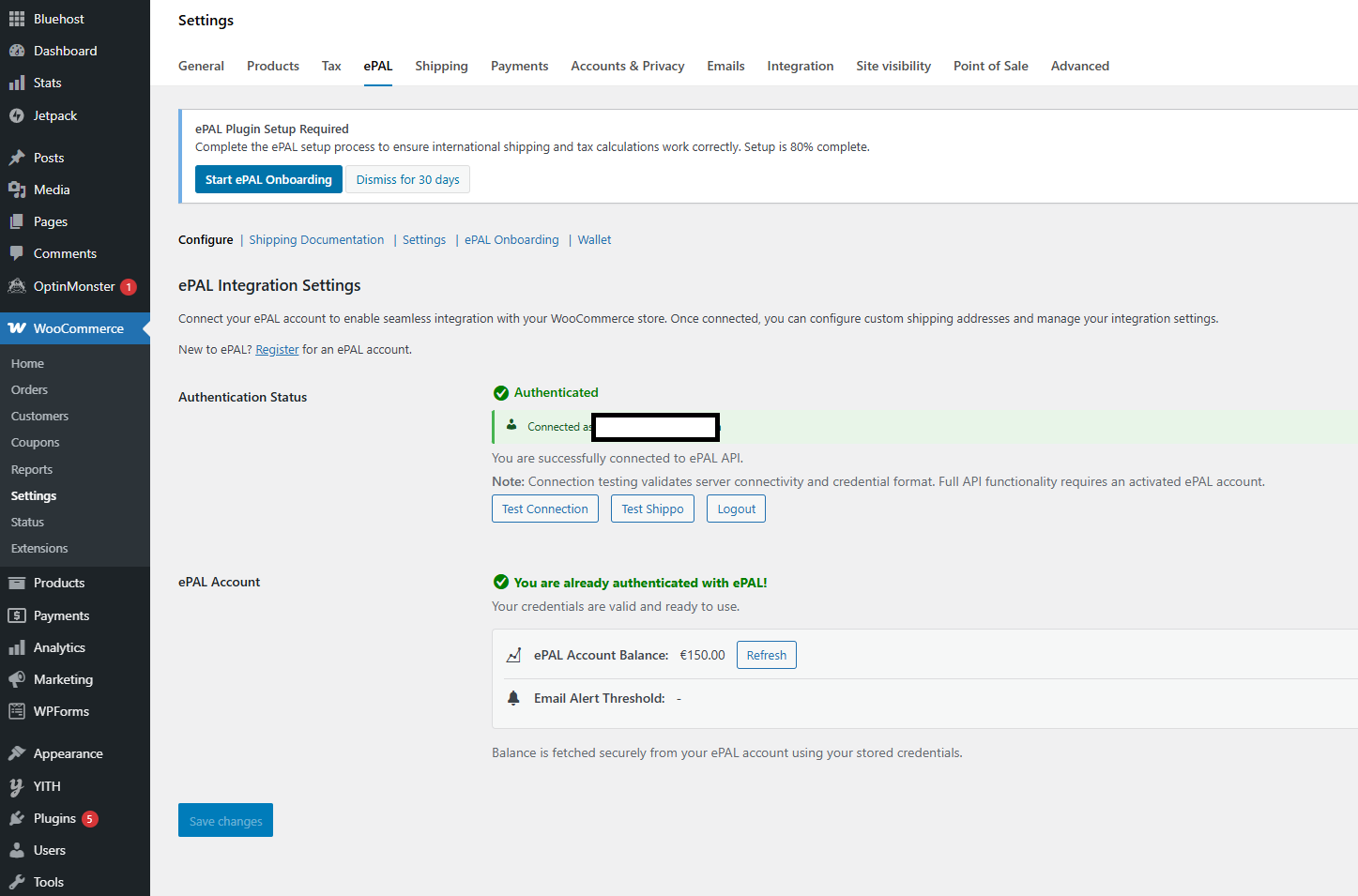
You can use the Authentication Status panel to test your connection to the ePAL API:
To test the connection, click Test Connection.
To test your Shippo connection, cl
You can also logout of your ePAL account. To do so, click Logout
You can use the ePAL Account panel to view the status of your ePAL account and the account's balance.
| Field | Description |
|---|---|
| ePAL Account Balance | The remaining credit in your acccount. You can also refresh if needed. |
| Email Alert Threshold | Displays the threshold that triggers an alert email. |