Classifying a Product (WooCommerce)
You can add missing classifications to your products natively in WooCommerce.
About this Task
This task describes how to select your product form your store's product catalogue before you use ePAL to retrieve the required information to make the goods ready for sale using ePAL.
For existing products, you can do this in step 5 of the guided installation. For more information, see the Installing the Plugin (WooCommerce) topic.
You can also do this after you complete the installation. For example, if you are adding a new product to your store.
Steps
- Click Open Products Page.
- Navigate to the Product Data panel:

- Click Make ePAL ready. The following UI is
displayed:
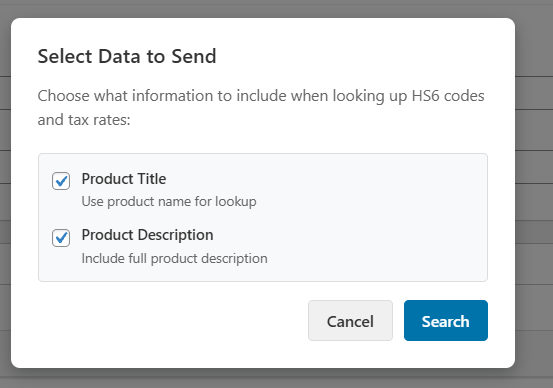
- Complete the following settings:
Table 1. Setting Description Product Title Use the product name when looking up the code. Product Description Include the full version of the product description. - Click Search. The results are displayed in the panel on the right hand side.
- To pick a result, click Select.