Your Classified Products UI
Use this UI to get an overview of you individual product classifications.
You can use this UI to review your existing classifications.
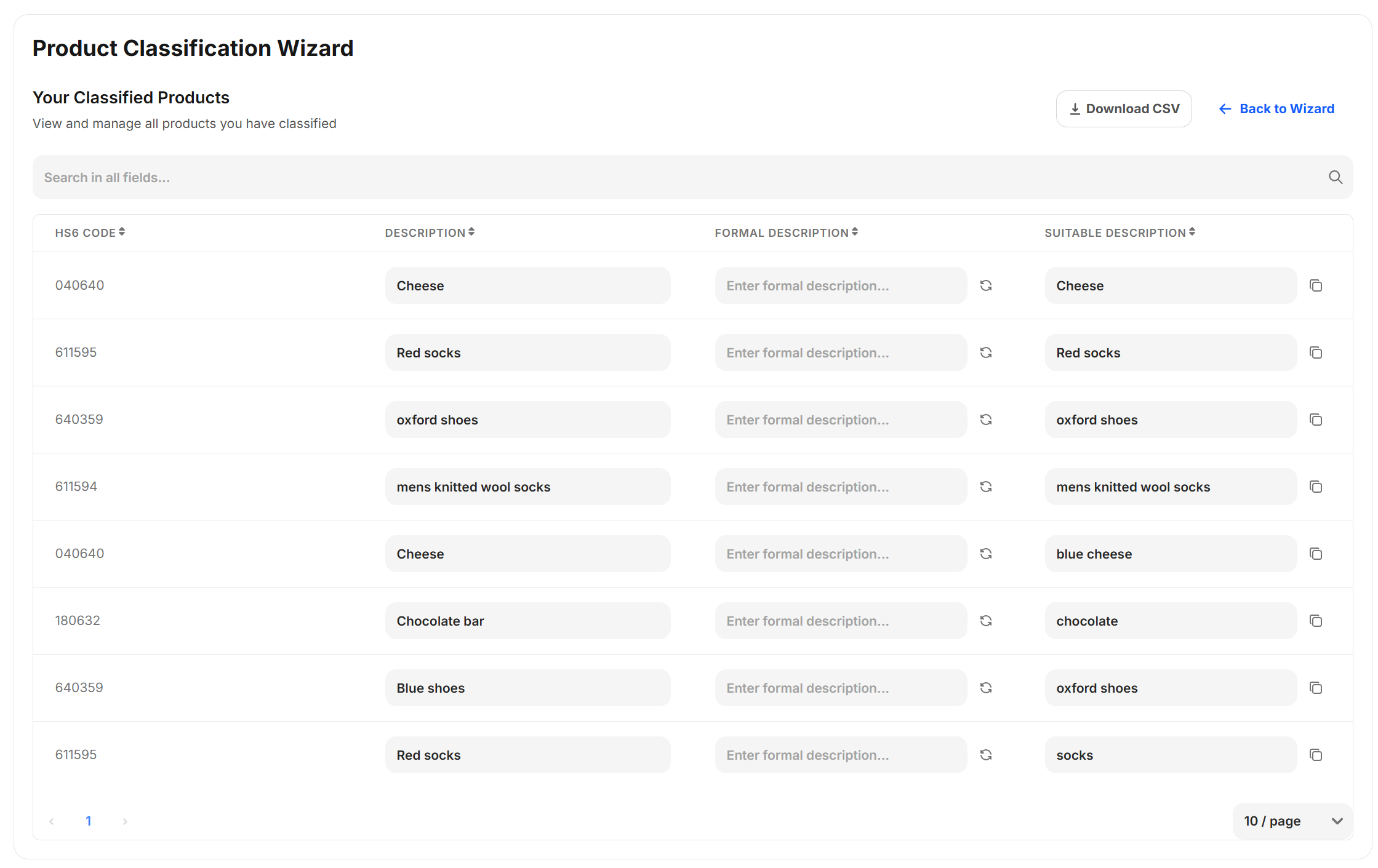
To open the UI, open the ePAL Portal and click . The following UI is dispalyed:
Buttons and Icons
This UI contains the following buttons and icons:
| Button/Icon | Description |
|---|---|
| Download CSV | |
| Back to Wizard | |
| Filter | |
| 10 / page | |
| Refresh | |
| Copy |
Fields
This UI contains the following fields:
| Field | Description |
|---|---|
| HS6 CODE | |
| DESCRIPTION | |
| FORMAL DESCRIPTION | |
| SUITABLE DESCRIPTION |