Getting Started (WooCommerce)
Welcome to the documentation for ePAL.
This section introduces you to ePAL for WooCommerce by giving you an overview of the plugin's components and features.
Component Overview
The following graphic shows the main components in a typical deployment of this plugin as well as some features:
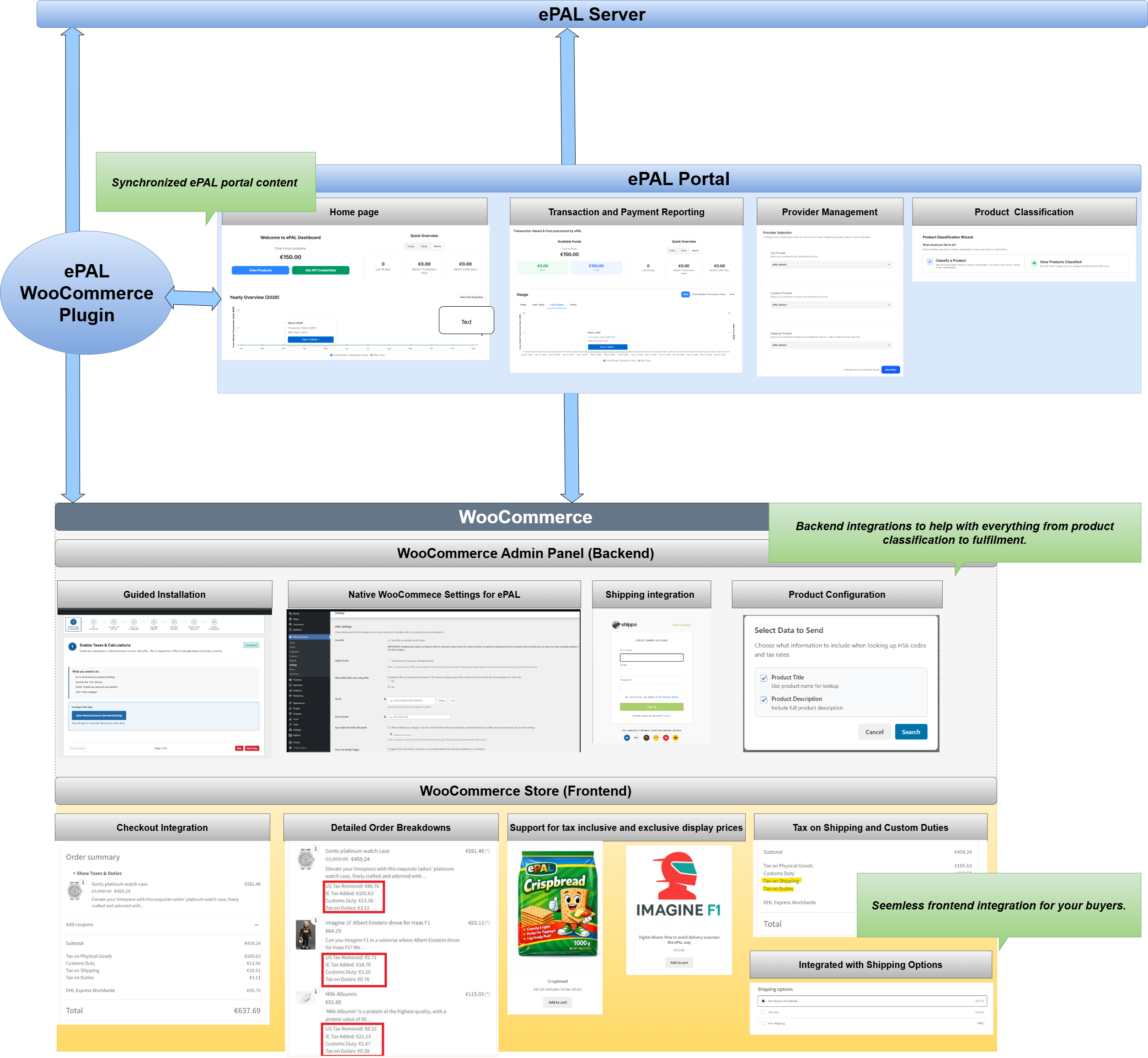
- ePAL Server: This is the backend engine that handles calculations and other processes.
- ePAL Portal: ePAL also provides a portal where you can register your profile, view reports and change some settings. The content here and within the plugin can be synchronized so that it remains aligned.
- ePAL Plugin: The plugin integrates the ePAL's functions with WooCommerce.
- WooCommerce: The WooCommerce
integration can be split into the back- and frontend integrations:
- Admin Panel (Backend): The plugin is integrated into your WooCommerce Admin panel so you can manage all your ePAL relevant settings from there. It also integrates with native WooCommerce functionality for things like product classification and order fulfilment.
- Store (Frontend): ePAL's features like tax and customs calculations are also available to the buyers in your store.
Installation
You can find all the information that you need to install the plugin in the Installation Guide (WooCommerce) section.
First you need to retrieve and upload the plugin into your WooCommerce instance. This is explained in the Uploading the Plugin (WooCommerce) topic.
Once this is complete, you can install it. This is explained in the Installing the Plugin (WooCommerce) topic.
Features
For more information about the features available to plugin users. see the Features (WooCommerce) topic.