Creating a Custom Ship From Address
Complete this task to create a custom Ship From address, if it differs from your WooCommerce store's default address.
- Open Woo Commerce, click .
- Under ePAL Integration Plugin, click Settings.
- Click Add `Ship From`Address.
-
Complete the fields in the following UI:
Figure 1. New Address UI 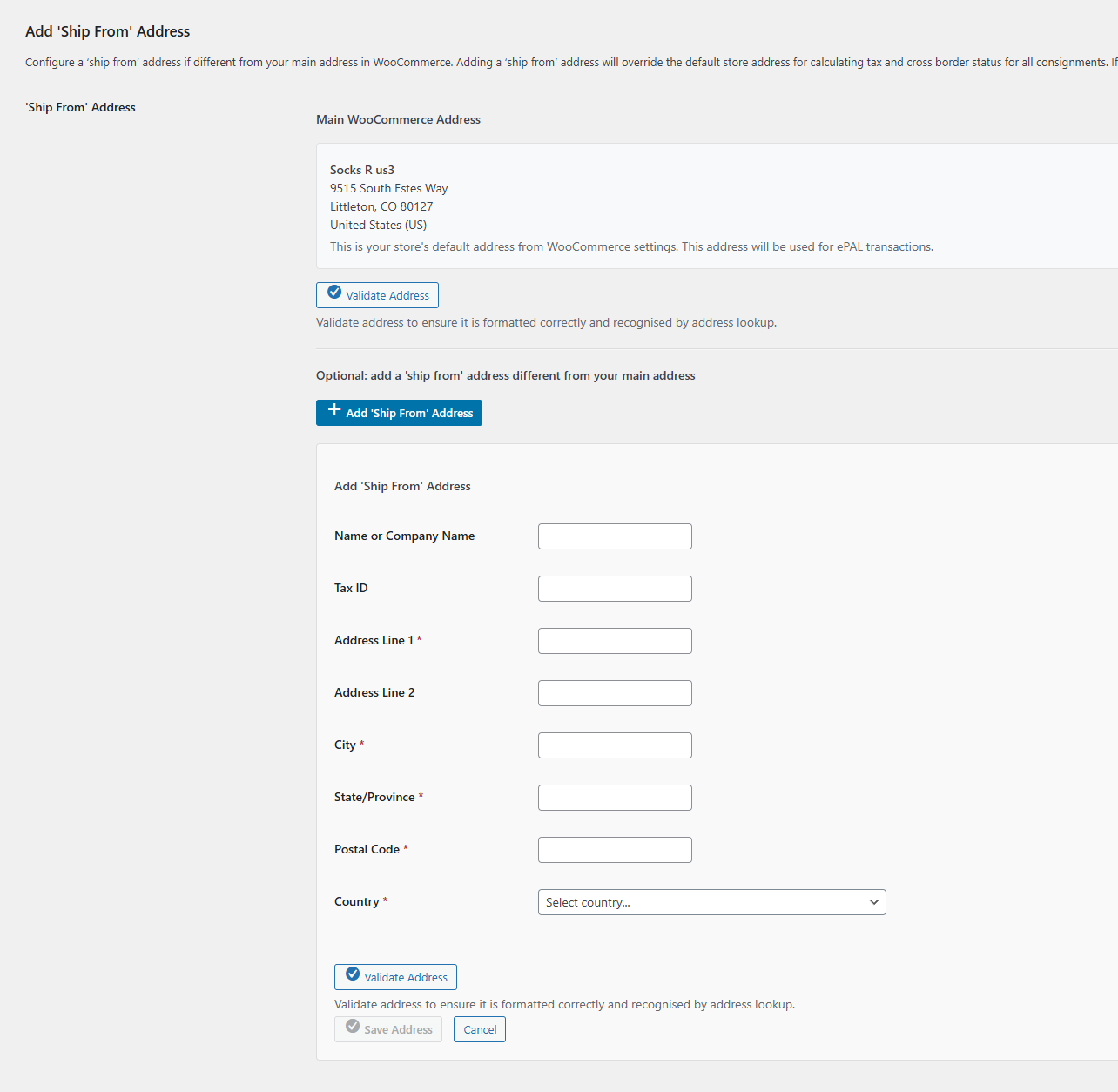
Complete the required fields:
Note:We recommend that you add Postal Codes for all countries. It is required for Spain, the United Kingdom of Great Britain and Northern Ireland (UK), and Spain. You must provide it for these countries.
States or provinces are subdivisions within a country. The following countries require that you specify the state or subdivision in address information:- Australia
- Brazil
- Canada
- India
- UK
- United States of America
- Save your changes.